Outlining Software for Writers
Innovative, Easy-to-use Outliner Software that Helps in all phases of Writing
Use the power of outlining in all the phases of your writing, right from the research and planning to making outlines, filling text and exporting a merged draft from time to time. See the difference that it makes. Be sure to read some testimonials from WhizFolders users later on this page.
What kind of Writing Tool unleashes the creativity of a Writer?
I admire writers. I have been interested in writers and writing for a long time.
There is no doubt that writing is a highly creative process. But when it comes to selecting a writing tool, one often looks for brand name software that today mainly consists of word processors as the only tools for writers. What a writer really needs is a flexible way to rearrange, discard and brainstorm all the text pieces and ideas that he collects and writes in all stages of writing.Word Processors are tools for presentation. Use a Word Processor after an Outliner and not before.
In a Word Processor, you typically have a big linear document where there is little chance of moving your text pieces around. Read more on this later in "Don't you start writing in a Word Processor."Use a three step approach to Outlining in the Hierarchical List of WhizFolders
1 Break up your thoughts as Rich-text Notes in a Powerful Tree List. 2 Outline these Notes in a Hierarchy by easy Drag and Drop in the Tree List. Rearrange or discard as necessary. 3Print or Export as a Merged Draft Anytime. Use a word processor in final stages where you improve your draft for presentation.Testimonials from Users
WhizFolders is being used for writing, study and research by a wide range of users from writers, teachers, students, and researchers to doctors, lawyers, developers and managers. Here are a few of the testimonials and you can follow the link for more."Writing long texts is almost impossible if you only have a normal word processor. The hierarchical writing with Whizfolders can make anybody a writer. You see what's missing and can fill out the holes. You see your own way of thinking and you can correct it easily."
"Whizfolders is superior to anything else I've used, and the addition of the notes organizer and the calendar makes it even better. I write weekly articles for our local paper and this keeps me more organized then ever before."
"As a published author of two non-fiction business books, I had been looking for many years for a note capturing, RTF editing suite, random topic arranger, outliner, etc. The program that works for me is WhizFolders. The company has kept up with changing technology but not to the extent of veering from the mission to satisfy writers and researchers."
"I use it for my research and I can't imagine a writing program that is more efficient. It's the perfect tool for any multipotentialite who loves nothing more than to have a tool that organizes and connects the wide range of ideas and thoughts we have floating around in our head."
"I mainly use WhizFolders for writing. I work in a specialized healthcare field. For this I use WhizFolders to write technical analyses, government compliance manuals, grant and project proposals, compliance reports and investigations. For the latter category in particular (compliance reports and investigations) I find that the 'templates' feature is invaluable. Templates improve a report or investigation's thoroughness and insure that all aspects are addressed. They also insure a uniformity across all investigations and reports. This not only looks more professional but allows for easier analysis across reports."
VIDEO: How to outline notes better with a List. See many applications of this powerful concept.
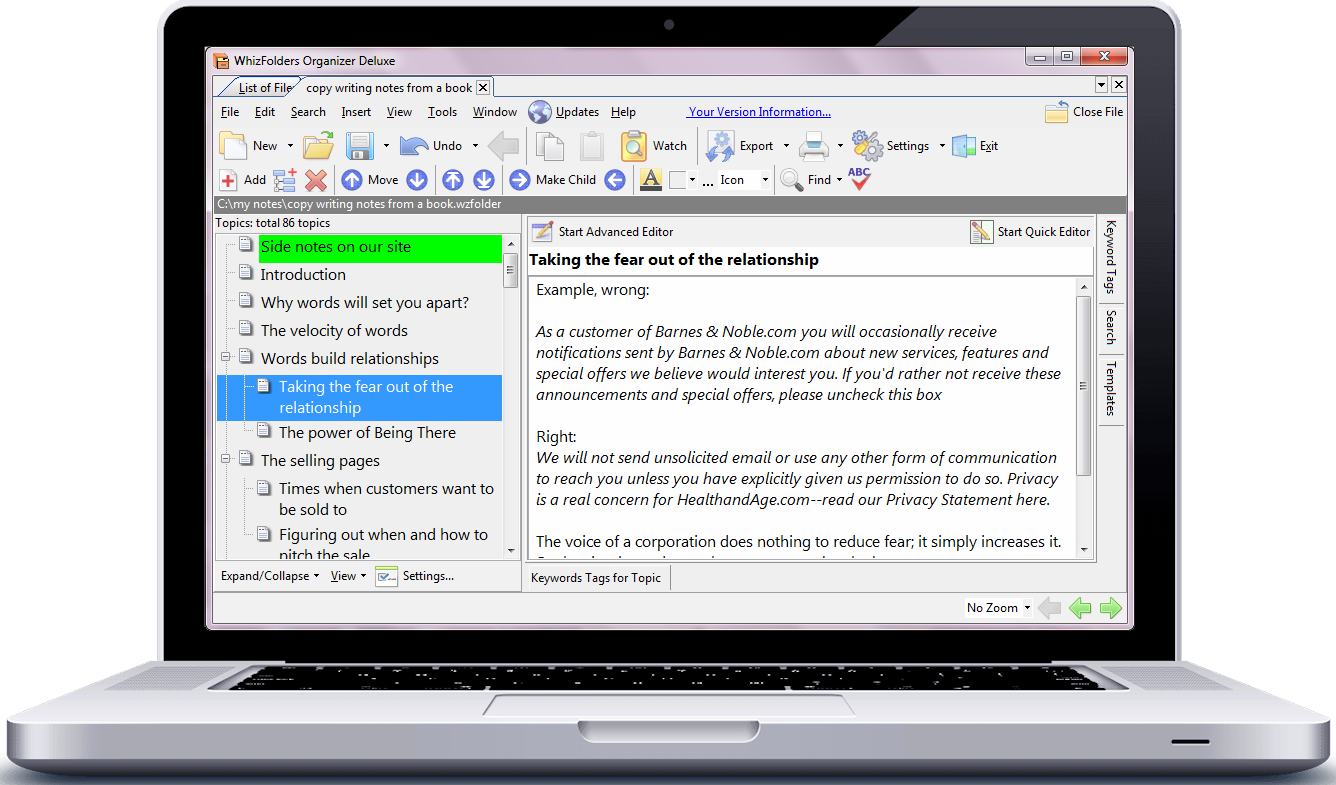
Watch the following video to see why an Outlining List with an RTF Editor is an easier device for organizing your notes. If you have been using a text editor or word processor to manage your notes, find out how this list-based Organizing and Outlining is different and better. Use this tool for random brainstorming of ideas and notes as well as for organized writing where you prepare an outline and then can even merge all the notes into a single draft for printing or export.Picture of a typical WhizFolders session of brainstorming some notes on Copy Writing
Don't you start writing in a Word Processor
Better writing involves being able to cope with new ideas as and when they strike you. The key to managing your ideas well is to be able to briefly list them, in a hierarchy. You look at the content of a note only when you really need it. You won't find this powerful list metaphor in a word processor.For effective writing, you should use a tool that allows you to write down your notes in pieces. If you keep on writing in one long-scrolling document using a word processor, it becomes a daunting task to review this long piece later. Instead, you should write in pieces, classifying and keeping each piece of note separately as you go. This helps in many ways. You keep the related pieces together, and that helps you get a better hold on your subject matter or plot as you go. You can move around the pieces later to change their order as your ideas change (as they often do). WhizFolders has all these features and is a perfect tool for any kind of writing. What is more, you can bunch up any number of pieces to make a full manuscript any time. Save your effort in brainstorming new ideas and plots. Use WhizFolders for all your writing.
A word processor is only meant for the final presentation. If you think about it, the writing process involves a free flow of expression from the creative thoughts into words.
Often, when you are writing, another thought related to your writing project comes to you in a flash. In a word processor, you hardly have the features to note that new thought quickly and continue with your writing. What you need is an organizer that allows you to instantly put that new note in a list so that you can easily recall it later.
Do not try to outline too soon
You need to collect your thoughts into words without interruption of any kind. If you pause to fit this into an outline, the free flow of thoughts into words is unnecessarily interrupted. Many experts advise leaving the outlining to a stage when you have no more thoughts coming, a typical writer's block.WhizFolders is all about managing your bursts of creativity. Collect your thoughts first.
WhizFolders is specially designed for this kind of activity. You just add a note to the list and start writing in it. If another idea strikes you, quickly add another note to the list, write that thought and come back to what you were writing. Don't worry about where that new note fits in the list. Just add it and get over with it. Don't lose it.Now is the time to outline the pieces
Let's assume, these bursts of thoughts continue to occur for some time and you continue writing them in separate notes. When a pause comes and there are no more thoughts, you look at the list of notes. In WhizFolders, you can just do drag and drop to rearrange your notes. To make a note a child of another note, just drop it over that note.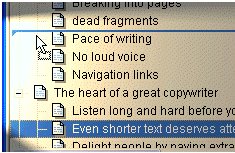
A different approach to outlining
If you have been used to outlining in a word processor, this is different. You just outline the list. The content of a selected note always appears on the right for viewing. Your all-encompassing view of the list of notes is in no way disturbed as in a word processor where the content often appears between the list.
Link related notes just as your mind does!
WhizFolders can also help you link a note with another related note. In fact, this hyperlinking feature is the flagship feature of WhizFolders that makes it stand apart from all other authoring products. There can be many ideas of text applications of WhizFolders software.